
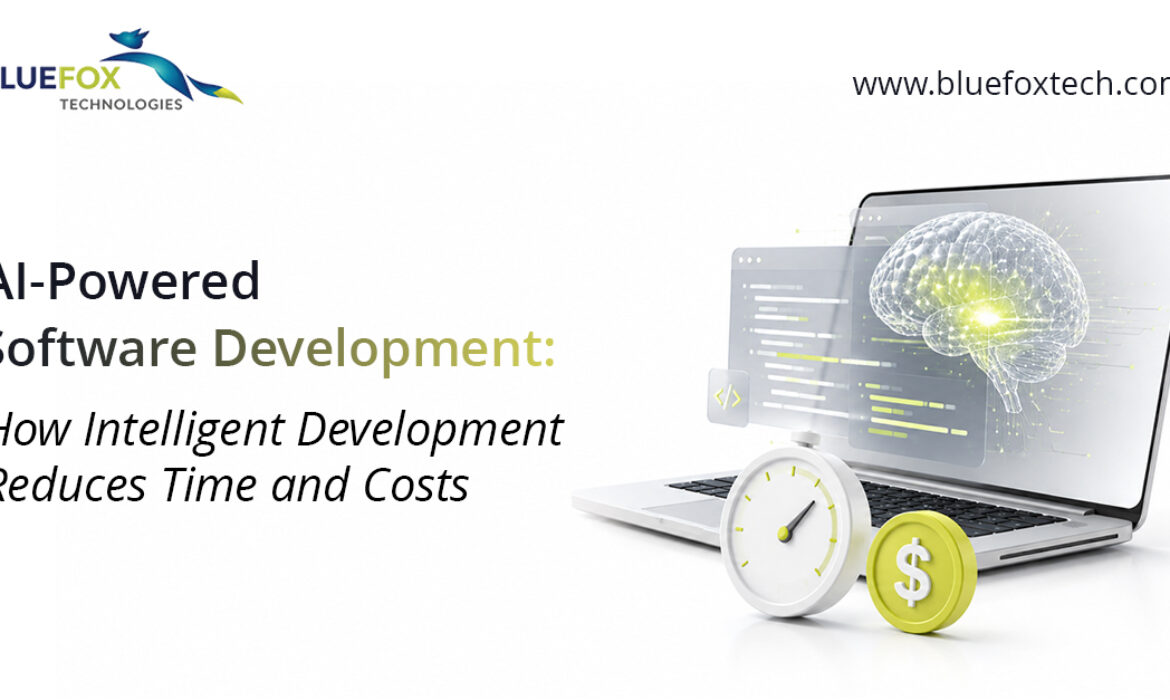
AI-Powered Software Development: How Intelligent Development Reduces Time and Costs
Software development is no longer just about writing code, it’s about building intelligent, scalable, and future-ready solutions. As businesses face increasing pressure to launch applications faster while maintaining high quality, AI has become a valuable partner throughout the software development lifecycle.
From generating code suggestions and identifying bugs early to automating testing and optimizing deployments, AI enables development teams to work more efficiently with fewer manual tasks. The result is faster project completion, lower development costs, improved software quality, and applications that can adapt more effectively to evolving business and customer needs.
Where the Time Savings Actually Come From
“AI makes development faster” is a common claim, but it’s worth breaking down exactly where those time savings show up.
- Faster coding and fewer rework cycles – AI-assisted development tools help engineers write cleaner code the first time, catch structural issues early, and reduce the back-and-forth of code review. Fewer revisions mean features move from concept to production faster.
- Smarter system architecture from day one – Instead of designing infrastructure based on guesswork, AI can analyze anticipated performance, scalability, and load requirements up front, so teams don’t have to re-architect systems six months after launch because they didn’t plan for growth.
- Test automation that doesn’t slow down every release – Manual testing is one of the biggest bottlenecks in any release cycle. AI-powered test automation handles functional testing, regression testing, cross-browser and cross-device testing, and API testing automatically, running far more test coverage in a fraction of the time a manual QA team would need.
- Self-healing test scripts – One of the most tedious parts of test automation has always been maintenance, every time the UI changes, someone has to go back and manually update the test scripts. AI-driven self-healing scripts detect UI and code changes and adjust automatically, keeping test suites reliable without constant human upkeep.
- Predictive defect detection – Rather than waiting for bugs to surface in production, AI models can flag high-risk areas of the codebase based on historical defect patterns, so teams catch problems before they become expensive, customer-facing issues.
Where the Cost Savings Actually Come From
Speed and cost are closely linked in software development, but AI reduces costs in some specific, tangible ways:
- Lower QA overhead. Automated, self-healing test suites reduce the need for large manual testing teams and repetitive script maintenance.
- Fewer post-launch fixes. Predictive defect detection and AI-assisted code review catch issues earlier in the cycle, when they’re far cheaper to fix than after release.
- Reduced infrastructure waste. Smarter architecture planning avoids over-provisioning or under-provisioning cloud resources.
- Shorter time-to-market. Every week shaved off a development cycle is a week of earlier revenue, earlier user feedback, and earlier competitive advantage.
- Continuous integration without added headcount. AI-based CI/CD integration supports continuous testing and deployment without requiring proportional increases in engineering or QA staff.
Individually, these savings are meaningful. Together, across a full product lifecycle, they compound into a materially lower total cost of ownership.
AI in Practice: Development and Testing Working Together
The real value of AI-powered software development shows up when development and testing are treated as one connected system rather than two separate phases.
On the development side, this looks like AI-assisted application development for web, mobile, and enterprise software, supporting everything from cloud-native and microservices architecture to API development and SaaS products. On the testing side, it means AI models that don’t just execute test cases, but learn from historical results to predict where the next defect is likely to appear.
When these two pieces are fully integrated with CI/CD pipelines, teams get continuous testing, continuous deployment, and real-time performance monitoring, without sacrificing quality for speed. That’s the core promise of AI-powered development: it’s not a trade-off between “fast” and “reliable” anymore.
Security Doesn’t Get Left Behind
A common concern with faster development cycles is that security gets deprioritized. AI actually helps address this, rather than working against it. Automated security testing and AI-based vulnerability detection can identify risks early in the development phase, well before code reaches production, supporting a secure-by-design approach and helping teams stay compliance-ready as they scale.
Getting Started with AI-Powered Development
Adopting AI-powered software development doesn’t require ripping out existing systems and starting from scratch. Most teams start by layering AI-driven testing and monitoring into their current pipeline, then gradually expand into AI-assisted development and architecture planning as the value becomes clear.
The businesses that get ahead here aren’t necessarily the ones with the biggest engineering teams, they’re the ones building smarter, more automated processes around the teams they already have.
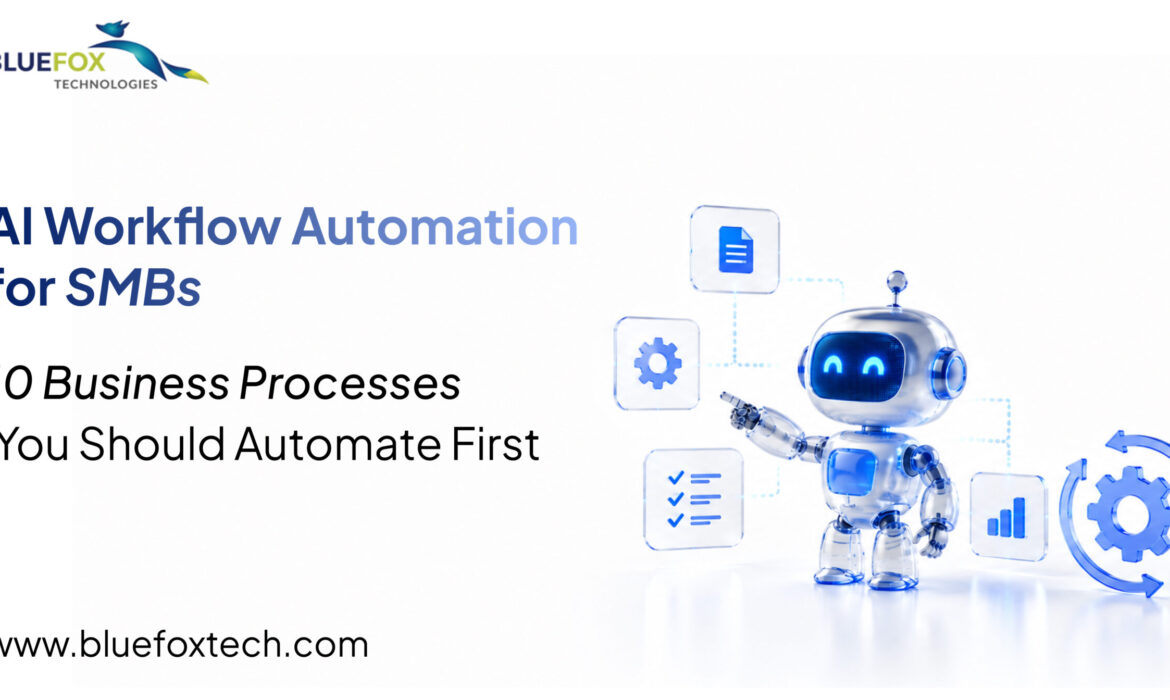
AI Workflow Automation for SMBs: 10 Business Processes You Should Automate First
Small and medium-sized businesses are expected to move faster than ever. Customers expect instant responses, employees need streamlined tools, and business leaders want data-driven decisions. Yet many SMBs still rely on manual processes that slow productivity and create unnecessary operational costs.
Tasks like processing invoices, managing customer inquiries, updating CRMs, approving requests, and generating reports often require significant manual effort. As businesses grow, these repetitive activities become barriers to scalability.This is where AI workflow automation is making a measurable difference. Rather than replacing employees, AI enables teams to eliminate repetitive work, improve operational efficiency, and focus on activities that drive revenue and innovation.
Everything You Need to Know About AI Workflow Automation
AI workflow automation combines artificial intelligence with business process automation to create intelligent workflows that can understand information, make decisions based on predefined rules, and continuously improve through data.
Unlike traditional automation, which only follows fixed instructions, AI-powered workflows can analyze documents, classify requests, predict outcomes, identify exceptions, and trigger actions automatically.
The result is faster execution, fewer manual errors, improved customer experiences, and greater operational visibility.
10 Business Processes You Should Automate First
For SMBs, the best place to start with AI workflow automation is by automating repetitive, time-consuming tasks that impact daily operations. Key business processes include customer support, lead management, invoice processing, employee onboarding, appointment scheduling, marketing campaigns, document management, inventory tracking, approval workflows, and business reporting. Automating these processes helps reduce manual effort, improve accuracy, increase productivity, and allows teams to focus on strategic initiatives that drive business growth.
Why SMBs Are Accelerating AI Adoption
For years, AI automation was considered an enterprise-only investment. Today, cloud-based AI platforms and scalable automation solutions have made the technology accessible to businesses of every size.
SMBs are adopting AI because they need practical solutions to common business challenges, including:
- Increasing operational costs
- Limited workforce capacity
- Rising customer expectations
- Growing volumes of business data
- The need for faster decision-making
Instead of hiring additional staff to manage repetitive work, businesses are using AI to optimize existing operations while allowing employees to focus on strategic initiatives.
Where AI Workflow Automation Delivers the Greatest Value
The most successful AI automation projects don’t begin with complex technologies, they start by identifying repetitive workflows that consume time and resources.
Across industries, organizations are successfully automating customer service requests, sales lead qualification, invoice processing, employee onboarding, document management, approval workflows, reporting, and internal communication.
When these processes become intelligent and automated, businesses experience improved productivity, greater accuracy, faster response times, and better collaboration across departments.
The Business Benefits Extend Beyond Cost Savings
Many organizations initially invest in automation to reduce manual effort. However, the long-term value extends much further.
AI workflow automation helps businesses:
- Improve operational efficiency across departments
- Deliver faster and more consistent customer experiences
- Reduce human error in critical business processes
- Accelerate decision-making through real-time insights
- Increase employee productivity by eliminating repetitive tasks
- Scale operations without proportionally increasing overhead
These advantages allow SMBs to compete more effectively while building a stronger foundation for future growth.
Choosing the Right AI Automation Strategy
Not every workflow should be automated immediately. The most effective strategy begins with identifying high-impact processes where automation can deliver measurable business value.
Successful implementations also require seamless integration with existing business applications such as CRM platforms, ERP systems, accounting software, customer support tools, and cloud infrastructure.
This is why many SMBs choose to work with experienced AI development partners who can assess business requirements, design intelligent workflows, and ensure long-term scalability.
Why Partner with Bluefox Technologies?
At Bluefox Technologies, we help businesses move beyond isolated automation projects to create connected, intelligent workflows that support long-term growth.Our team specializes in designing custom AI workflow automation solutions that integrate seamlessly with existing business systems, streamline operations, and improve overall business performance.
From process discovery and AI strategy to custom application development, system integration, and ongoing optimization, we work closely with organizations to deliver practical AI solutions that generate measurable business outcomes.Whether your goal is to improve operational efficiency, enhance customer experiences, or prepare your business for future growth, AI workflow automation provides a scalable path forward.
Ready to Automate Your Business Workflows?
AI workflow automation is no longer a future investment, it’s becoming a competitive necessity for SMBs looking to operate more efficiently and grow sustainably.
Businesses that automate intelligently are reducing operational complexity, improving productivity, and creating better experiences for both customers and employees.
As AI technologies continue to evolve, organizations that embrace workflow automation today will be better positioned to adapt, innovate, and lead tomorrow.
If you’re ready to modernize your business operations, Bluefox Technologies can help you design and implement AI workflow automation solutions tailored to your unique business needs.

AI App Development & Automation in 2026: Why Businesses Are Moving from Pilots to Production
Something shifted in enterprise AI over the past year. It’s no longer a question of whether to build AI-powered applications, it’s a question of which workflows justify doing it now. By the end of 2026, industry forecasts suggest that roughly 40% of enterprise applications will embed task-specific AI agents, up from single digits just two years ago. That’s not a pilot trend. That’s infrastructure.
From Chatbots to Digital Coworkers
The AI App Build & Automation conversation used to center on chatbots and simple rule-based automation. In 2026, it looks different. Agentic systems can now reason through ambiguity, plan multi-step tasks, and act across connected systems, not just answer a prompt and stop. Analysts are increasingly describing this shift as agents becoming digital coworkers rather than static tools, with multi-agent setups (several specialized agents handling different parts of a workflow) becoming one of the year’s defining patterns.
Where the ROI Is Actually Showing Up
The most recent enterprise data points to a few consistent, high-value entry points:
- Customer service: automated ticket resolution, refunds, and escalations are freeing up tens of hours a month for small teams.
- Finance and operations: automated invoicing, forecasting, and expense auditing are speeding up close processes by 30-50%.
- Sales and marketing: lead qualification and personalized outreach agents are producing measurable gains in pipeline velocity.
Payback periods vary by function, but recent industry surveys put the median time-to-value on agent deployments at just over five months, with simpler use cases like sales outreach paying back faster than finance and operations builds.
The Gap Businesses Need to Watch
Here’s the part that doesn’t make it into the highlight reel: while a large share of enterprise applications now embed some form of AI agent, a much smaller share of organizations have one actually running reliably in production. Industry research puts that production-adoption figure at roughly a third of enterprises, with the difference between “shipped” and “working” coming down to a handful of things: a named owner accountable for the outcome, clear success metrics defined up front, and automated evaluation built in before launch rather than bolted on after.
In other words, the technology isn’t usually where 2026 automation projects fail. Scoping is.
What This Means If You’re Starting Now
The businesses getting real value aren’t trying to automate everything at once. They’re picking one workflow that’s high-volume, rule-based, and currently manual, a support queue, a reporting process, a lead-routing bottleneck, and building outward from there with clear ownership and measurement from day one.
Ready to Build What Actually Works?
AI App Build & Automation in 2026 rewards businesses that move deliberately, not just quickly. Schedule a free consultation with Bluefox Technologies and we’ll help you identify the workflow where automation will make the biggest measurable difference, and build it so it actually reaches production.

Best Woo Commerce Plugins to Improve Your Store
It can be difficult to find the best Woo Commerce plugins, extensions, and addons. The Woo Commerce marketplace contains thousands of plugins, so let’s start with the best Woo Commerce Plugins for conversion optimization.
Top Woo Commerce Plugins
- OptinMonster
OptionMonster is powerful and simple to use and it is the best lead generation tool and WooCommerce sale plugin.
It enables you to create visually appealing opt-in campaigns such as pop ups, floating bars, fullscreen welcome mats, and more.
You can create highly targeted offers, distribute coupons, and much more using OptinMonster.
Its drag-and-drop builder makes it simple to elope eye-catching WooCommerce pop ups that increase your email list and sales.
OptinMonster also integrates with virtually every major email marketing service, including Constant Contact, Sendinblue, Mailchimp, and others.
- PushEngage
PushEngage is the world’s greatest push notification software. These small messages remain on your subscribers’ browsers even when they are not actively browsing your website.
PushEngage allows you to create “drip” campaigns. These automated messages will be delivered to your new and existing subscribers. You can also segment your contact lists to personalize your offers and increase sales.
Another advantage is that you will not be requesting personal information from your subscribers (like name, email address, or phone number). Instead, with the click of a button, you’ll ask users to “Allow” these notifications.
Then you can send them messages to various calls to action (CTAs) on your site to increase conversions.
- All-in-One SEO
AIOSEO is the best WooCommerce tool for optimizing your SEO strategy. It’s the only tool you’ll need to increase the number of people who find your WooCommerce store on search engines like Google.
With AIOSEO, you can be confident that your website is easy for search engines to understand and rank. This enables you to create better content that improves user experience (UX) and increases sales.
That’s because the right SEO strategy will bring the right kind of traffic to your site, not just organic traffic.
AIOSEO can assist you with this by providing a site audit checklist, smart XML sitemaps, and on-page analysis.
It even has a special feature designed specifically for WooCommerce SEO. It enables you to optimize product pages in order to connect with customers.
- TrustPulse
TrustPulse is a WooCommerce social proof WordPress plugin that helps you make trust with your site visitors. It displays small notifications of real-time activity on your site by other users.
When it comes to purchasing decisions, shoppers almost are more likely to trust recommendations from other shoppers than advertisements.
- WP Mail SMTPa
WP Mail SMTP allows you to send emails from WooCommerce using an SMTP service provider (things like order confirmations and invoices).
Using the PHP mail() function, your store sends email notifications to the WooCommerce store owner and customers for various actions.
However, most WordPress hosting providers do not have this function properly configured, and some even block it.
When this happens, your store’s email features will no longer function.
WP Mail SMTP solves this issue by allowing you to send emails from your store using an SMTP service provider. This ensures that Woo Commerce emails are delivered to inboxes rather than spam folders.
- ReferralCandy
ReferralCandy makes it simple to set up and manage a referral programme that will keep existing customers coming back and bring in new ones.
You can design an excellent referral programme to reward loyal customers for referring friends with cash, store credit, discounts, or free products.
When it comes to new customers making purchases, referrals have a significant impact. When potential customers are referred by people with whom they already have a relationship, they are more likely to purchase. With this in mind, referral programmes are an excellent way to show loyal customers that their business and referrals are valued.
Conclusion
Plugins can help improve the performance of your webstore by optimizing product pages and the shopping experience for your customers. The best Woo Commerce plugins, extensions, and add-ons can help your marketplace stand out. Concentrate on the plugins that will provide your customers with the best experience, keep them engaged, and return to your site, while also making it simple to keep your site up to date.
With the knowledge and experience combined, we are developing the right web and mobile application for the brand and business. Contact us

9 Important Elements for Increasing the Effectiveness of Small Business Websites
One of the most important features of your business is your website. Your website is the first place where potential customers learn more about you and determine whether they want to do business with you. It’s important to increase the effectiveness of small business websites.
In today’s online competitive market, simply having a website is not enough. The website must be effective for potential customers to find and use. Following these important aspects will help make your website easier for potential customers to use.
- Mobile Responsive
A website must be mobile responsive in order to be effective. Every day, adults spend more than 4 hours on their mobile phones, and more than one-third do all of their online shopping via mobile device. Needless to say, the mobile website for your company must provide a positive user experience.
If potential customers arrive at your site but find it difficult to read or navigate on a mobile device, they may simply leave and go to a competitor. Furthermore, a poor mobile user experience affects your website’s search engine rankings, making it more difficult for users to find via a Google search – which brings us to our next point.
- Make it simple
A domain name that either matches your company name or describes your business in some way is required. You can even have multiple domains pointing to the same website. This includes employing technical SEO best practices, keyword research, content marketing, and paid advertising campaigns to drive traffic to your website.
- UX
To have a successful website, you must ensure that it is easily accessible, usable, efficient, and pleasing to the eye. To create and maintain an exceptional UX, experiment with design elements such as templates, images, typography, and colors.
- SEO
Search engine optimization is critical for your website. With millions of websites on the internet, competition for a spot on the first page is always fierce. You must determine which keywords your visitors frequently use to find your website.
Keep regional audiences in mind and try to use more specific and local words. Use those keywords sparingly in your site copy, metadata, captions, media tags, and file names.
- Call to Action
Every page on your website should convince the user to take action. In other words, you must bring a call to action to them. These landing pages should entice users to take a specific action, such as calling your company, signing up for a service, purchasing a product, downloading a whitepaper, or doing something else that advances your company’s goals. Give them a clear invitation to act, such as a button, a link, or clear verbiage. If possible, keep it above the fold so that readers do not have to scroll to find the call to action.
- Make sure it’s accurate
It should go without saying that inaccurate information, whether it’s a wrong number, outdated product information, or simple grammatical errors, will turn off customers. You should not only proofread each page before publishing it, but also check it on a regular basis, especially after making changes elsewhere.
- Website copy is customer-oriented
Potential customers land on your website in search of details that will be helpful to them. They come to your blog for educational content at times, and at other times to research the products and services you sell. In either case, you should present pertinent information that will engage your prospects, provide them with something of value, and help them to trust your expertise.
When creating content for your website, try to think about it from the perspective of the customer. What information would be useful to you as a prospective customer? What level of knowledge or expertise do you already have, and what do you need to be explained in greater detail? By focusing on your content from the customer’s point of view, you can keep them on your site longer and increase your chances of forming a long-term relationship with them that leads to a sale.
- Load time
Most online shoppers’ purchasing decisions depend on the time it takes for a web page to load.
Maintaining software updates, optimizing videos and images for faster downloads, and using a website host that can handle your bandwidth demands will help your website run smoothly.
- Social Media Integration
Social media is an important strategy to enhance your audience reach and notify customers about what’s happening with your company. Upload your website updates on your social media accounts. Include social media links to your website as well.
Conclusion
To remain competitive in today’s market, a small business must be able to make its website a place that its target audience enjoys visiting. Whether you’re opening a new store or redesigning your website, use the tips we’ve provided above to help you reach out to and engage with customers in ways they’ll appreciate.

How is Digital Commerce Empowering to the Business World?
In the B2B, B2C, and D2C spheres, consumers’ interactions with brands and retailers have shifted. Digital commerce now encompasses the entire customer experience, ushering in a new era of interaction between businesses and customers in both physical and digital settings.
The term “digital commerce” refers to the online selling and buying of goods. Digital commerce encompasses more than just an online store where items are stored and payments are made. Everything from standard eCommerce to personalized content is involved. If you want to succeed in digital commerce today, strive for an integrated approach to the customer journey and a unified purchase experience.
Important Benefits of Digital Commerce
- Expand internationally with ease:
With digital commerce, reaching consumers all over the world is easier and more cost-effective. If you want to expand globally, you must prepare for the logistics of doing business on a global scale. Even though many consumers buy from foreign retailers, they expect cheap or free delivery that arrives quickly.
- Manage a variety of brand:
People can manage multiple brands at the same time with digital commerce. With the right eCommerce development solution, you can collect product information in one place, easily reuse assets, and provide memorable experiences to the right audience based on targeted data.
- Better customer experience
A better digital shopping experience would increase spending by nearly half of all consumers. Furthermore, if they had a bad experience, this same group of customers would not buy from the same company again.
As a result, it is critical to gain a thorough understanding of the experience that your clients require. Concentrate on the entire client journey, identify obstacles, and use customer data to improve the overall experience.
When done correctly, digital commerce can yield invaluable customer data. Using consumer data, one can provide a more personalized experience across all channels. Customer data enables businesses to increase sales by attracting new customers and cultivating a sense of loyalty among current customers, among other things.
Trends in Digital Commerce
- Content and Omnichannel eCommerce:
Developing and delivering the right message at the right time and place helps to increase brand awareness and support a consistent customer experience across channels.
Clients should have the same experience whether they contact you via social media messenger, an app, or in person. Cross-channel analytics can also help you fully understand your customers.
This includes bringing together all teams within your organization to work on a digital-first strategy. Digital platforms should be prioritized in all areas, including sales, marketing, and warehouse management.
- Headless eCommerce:
If you believe that your eCommerce platform is not growing with your company or, worse, is preventing growth, it may be time to make a change.
The term “headless eCommerce” refers to the idea that the frontend presentation layer of a website, also known as the “head,” is distinct from the backend, also known as the “body.” A straightforward application programming interface (API) facilitates system communication.
Headless e-commerce allows for updates and changes to the front end without affecting the back end. You can easily reach your customers across all touchpoints with consistent, timely, and relevant content experiences.
- Dynamic Architecture:
Dynamic Architecture extends the headless concept by constructing an entire e-commerce system out of “Dynamic” building elements that work as a single entity.
The dynamic architecture enables you to choose and modify best-in-class tools and capabilities to meet your business needs. The lightweight, adaptable concept completely meets the changing needs of a modern e-commerce company.
- Authentic Intelligence:
Artificial intelligence (AI) employs advanced analysis, logic-based techniques, and machine learning to assist and automate decisions, define events, and carry out actions. AI can be used in an e-commerce solution for site search optimization, product recommendations, and tailoring the customer journey.
- Marketplace for Ecommerce:
An online marketplace provides clients with the convenience of a one-stop shop as well as the opportunity to take advantage of the best deals.
There are numerous advantages to using an online marketplace as one of your sales channels, including the ability to reach global markets with low overhead, a relevant audience, and online visibility.
Conclusion
Digital commerce encompasses more than just an online store where items are stored and payments are made. Everything from standard eCommerce to personalized content is involved. If you want to succeed in digital commerce today, strive for an integrated approach to the customer journey and a unified purchase experience. In today’s multi-channel environment, Bluefox Digital Commerce Practice provides end-to-end services to revolutionize how businesses interact with, conduct business with, and provide customer care.

Digital Marketing Trends to Take Advantages in 2023
Many companies are already planning their digital marketing strategies for 2023 and beyond. Smart businesses seek out the most recent trends to incorporate in order to maximize their results and impact. Here are some of the most crucial trends influencing digital marketing that can help you succeed.
- The Metaverse
One of the important analyzed trends in digital marketing is the metaverse. The metaverse is a broad term that refers to a variety of immersive virtual experiences that take place online, usually in the presence of other people.
- Artificial Intelligence
All marketing is powered by artificial intelligence (AI). AI integration into almost every digital marketing channel has been one of the quiet trends in digital marketing over the last few years. Algorithms determine which social media posts you interact with, which search results you see, and even which advertisements you see. AI is making marketing smarter by directing customers to the most relevant products and messages.
- Customer Experience
Most digital marketing algorithms and artificial intelligence (AI) optimize for the same goal: to provide a better user experience. For example, this year’s search engine optimization (SEO) updates focused on providing users with the most useful content. By focusing more on your customers’ experiences, you can outperform the algorithms and delight them.
- Short Videos
TikTok and Instagram Reels are taking over social media feeds—and buyers’ attention. There is no doubt that this format will only grow in popularity. To remain relevant, businesses must appear in the channels and formats where their customers are. The good news is that short video formats are finding their way into social media management tools and schedulers, making it easier for businesses to plan and post in the coming year.
- Simple, Clear Messages
Businesses face a greater challenge than ever before as short-form video takes over and attention spans continue to decline. To gain attention on mobile devices, businesses must be able to communicate in short, snappy soundbites.
- Employee Advocacy
Employee advocacy is the process of getting your team or employees to talk and share on behalf of the company. More and more businesses recognize the value of their employees. Employee personal profiles and assets are frequently more effective than business accounts and assets at reaching more people more authentically. Using this power is a previously untapped opportunity, particularly in business-to-business (B2B) marketing.
- LinkedIn As A B2B Powerhouse
LinkedIn has been around for a long time, but it has recently experienced record growth and engagement. In two years, it is expected to account for 25% of B2B advertising. Businesses are increasingly able to use the platform to expand. Despite this, very few businesses take advantage of it. My guess is that LinkedIn will continue to grow, and the opportunity will expand. Get in early to win disproportionately.
All of these top digital marketing trends are expected to emerge in 2023. Traditional websites and marketing strategies will no longer suffice for visitors. They would rather interact with a company that uses modern platforms and takes the time to learn about their interests.
Conclusion
Every business today competes in a fast – changing environment, and marketers must constantly evolve their strategies and tactics in order to stay one step ahead of the competition. To succeed in 2023, you must remain agile, innovative, and data-driven as Google rolls out new algorithms, new technologies emerge, and the world prepares for a potential recession.
At the heart of your marketing strategy, you must concentrate on developing a thorough understanding of your target audience. This entails utilizing all available resources to create highly personalized experiences for each customer. As long as you keep your audience in mind and use data to guide your decisions, you should be fine.
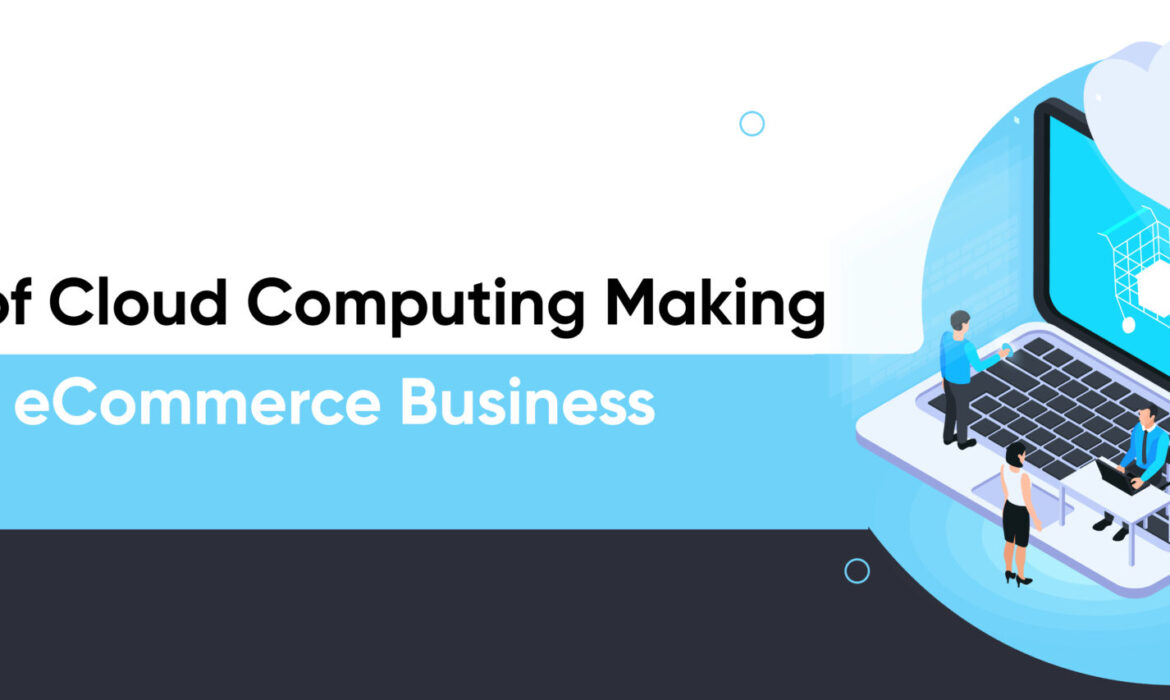
10 Benefits of Cloud Computing Making It Suitable for eCommerce Business
The benefits of cloud computing make it the ideal choice for many industries, such as eCommerce, healthcare, finance, education, and more. Cloud computing technology has benefited eCommerce businesses in various ways.
Top 10 Benefits of Cloud Computing for eCommerce Businesses
Cloud computing supports the digital transformation of many industries. Business owners who want to set up and grow their eCommerce platform should know the benefits of cloud computing making it suitable for eCommerce business. Here are the important benefits offered by cloud computing.
- Cost efficiency
Cloud computing eliminates the need for capital expenditure for hardware and software, which can be expensive and time consuming to install and maintain. It also provides scalability, meaning businesses only pay for the services they use when they need them.
- Flexibility
Cloud computing provides businesses with the ability to be agile and to quickly adapt to changing market and customer needs. This is especially important for eCommerce businesses, who need to be able to quickly react to customer demand and trends.
- Security
Cloud computing offers advanced security measures, such as multi-factor authentication, encryption and monitoring, to ensure the safety and integrity of data.
- Mobility
Cloud computing allows businesses to access their data and services from anywhere, at any time. This is especially useful for eCommerce businesses, who may have customers in different locations.
- Data storage
Cloud computing provides businesses with the ability to store large amounts of data without needing to invest in costly hardware. This is important for eCommerce businesses, who may need to store customer information and order details.
- Automation:
Cloud computing can automate many routine tasks, such as backups, updates and maintenance. This can save businesses time and money by freeing staff to focus on more important tasks.
- Backup and recovery
Cloud computing can provide businesses with the ability to quickly restore data in the event of a disaster. This is especially important for eCommerce businesses, who need to ensure their customer data is safe and secure.
- Collaboration
Cloud computing enables businesses to easily collaborate with remote teams, partners and customers. This is especially useful for eCommerce businesses, who may need to work with third-party suppliers and services.
- Analytics
Cloud computing can provide businesses with the ability to analyze and interpret vast amounts of data. This is important for eCommerce businesses, who need to monitor customer trends and preferences.
- Reliability
Cloud computing offers businesses reliable access to their data and services at all times, even during peak times or high-traffic periods. This is especially useful for eCommerce businesses, who need to ensure their services are available 24/7.
Conclusion
To summarize, business owners must implement cloud computing technology to support the expansion and growth of eCommerce stores. It has numerous advantages, and these advantages have the potential to add enormous value in increasing the revenue of the eCommerce business. Many eCommerce sites have already adopted cloud computing technology and are reaping the benefits.

How to Optimize Your SEO for Voice Search Organic Result Rankings?
1. Understand How Voice Search Works
To understand how voice search works, you need to understand how search engines work. Search engines are designed to match user queries with the most relevant and authoritative content.
When a user types a query into a search engine, the search engine looks at the query and compares it to the content on the web. The search engine then ranks the content based on how well it matches the query.
When a user speaks a query into a voice search engine, the voice search engine looks at the query and compares it to the content on the web. The voice search engine then ranks the content based on how well it matches the query.
2. Use Natural Language
When optimizing your content for voice search, you should use natural language. Natural language is the language that people use when they speak. It is different from the language that people use when they write.
When you use natural language, you should use the same words that people would use when they speak. For example, if you are optimizing for the query “How do I register for a marathon?” you should use the word “register” instead of the word “sign up.”
3. Use Long-Tail Keywords
When optimizing your content for voice search, you should use long-tail keywords. Long-tail keywords are those that are more specific and longer than general keywords.
For example, a general keyword for the query “How do I register for a marathon?” might be a “marathon.” A long-tail keyword for the same query might be “how to register for a marathon.”
4. Optimize for Local Searches
When optimizing your content for voice search, you should optimize for local searches. Local searches are searches that are done for businesses that are near the searcher.
For example, if you are a marathon registration business, you should optimize your content for the query “How do I register for a marathon in Seattle?”
5. Use Schema Markup
When optimizing your content for voice search, you should use schema markup. Schema markup is code that can be added to your website to assist search engines in understanding your content.
Schema markup can help you optimize your content for voice search by making it easier for search engines to understand your content.
6. Optimize Your Website for Mobile
When optimizing your content for voice search, you should optimize your website for mobile. Mobile devices are the devices that people use to access the internet.
Mobile devices include smartphones and tablets. Optimizing your website for mobile means that your website will be easy to use on mobile devices.
7. Use Google My Business
When optimizing your content for voice search, you should use Google My Business. Google My Business is a free service from Google that allows businesses to manage their online presence.
Google My Business can help you optimize your content for voice search by making it easier for search engines to find and index your content.
8. Promote Your Content
When optimizing your content for voice search, you should promote your content. You can promote your content by submitting it to directories and by sharing it on social media.
9. Monitor Your Rankings
When optimizing your content for voice search, you should monitor your rankings. You can track your rankings using tools like Google Analytics.
10. Update Your Content Regularly
When optimizing your content for voice search, you should update your content regularly. You should add new content to your website on a continuous basis..
You should also update your existing content. Updating your content will help you improve your rankings and will also help you keep your content fresh.
Conclusion
People’s lives have been made easier by voice searches, and websites must optimize their content for voice searches. Voice search is becoming more popular for finding information on the internet. This trend will only continue, so it’s critical to optimize your website for voice search. The guidelines provided above will assist you in optimizing your website for voice search.
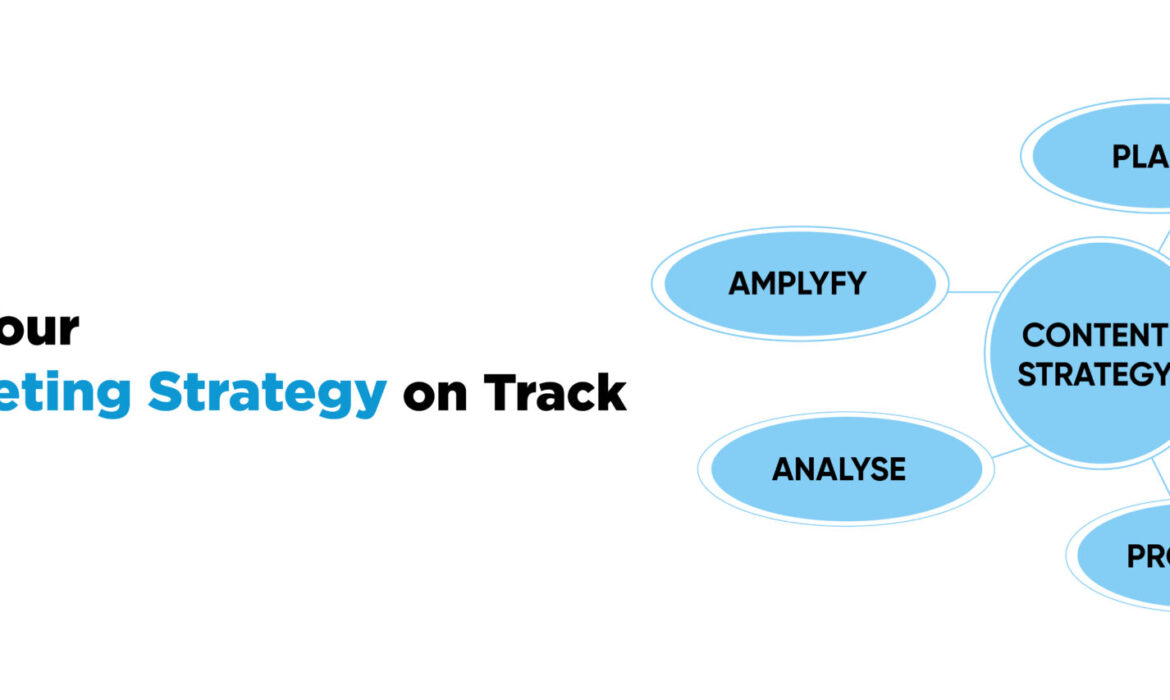
How to Keep Your Content Marketing Strategy on Track
A content marketing strategy is a document (or collection of documents) that describes how you intend to attract and engage your target customers through content. It typically includes an analysis of your customers and the types of information they will require as they seek solutions to problems you can assist them with. It will also go over your business objectives and the role your content will play in achieving those objectives. Finally, it will outline your plans for creating and distributing content based on the resources you have available.
Developing a content marketing strategy is crucial for any company that generates content because, quite frankly, content is an investment. You’re putting time and money into assets that will have a big impact on how people perceive your company.
When you set goals and create content with purpose, these assets can provide a return on investment for years after you complete the work. However, if you create content haphazardly, it may have little impact, which can lead to discouragement.
A content marketing strategy focuses your efforts. It is effective to state why you want to create content and what you expect it to do for you. It gives you the knowledge you need to research, plan, and create great content that will motivate your customers to take action.
How to hold your Content Marketing Plan on track?
Keeping your content marketing strategy on track can be difficult, especially as your company grows. How well you stay on track may also be affected by market factors such as customer demand, competition, and new technology trends.
Follow these tactics to keep your content marketing plan on track:
- Set your priorities and deadlines from the start
You can use our content marketing framework to help you set deadlines for creating and releasing various types of content on various topics. Remember that it is also critical to prioritize your content. Using content management and planning tools like Gantt charts, Trello, or Basecamp will also help you stay on track and hold everyone accountable for their respective areas of work.
- Create tasks in a workflow that works for you
If you have a content marketing team, delegate tasks and responsibilities so that work is distributed and everyone is held accountable.
- Be realistic about your timelines
Creating great content takes time, and it’s critical to get it right. When adding tasks to your workflow, ensure that everyone has enough time to complete their tasks. If deadlines appear impossible, not giving people enough time will result in subpar content, frustration, and, most likely, a lack of motivation.
- Stay consistent and focused
You may be tempted to try something different if you don’t see immediate results, but this could be counter-productive. It takes time for content to take hold, and changing your tactics too soon can have an impact on the quality and credibility of your content marketing. If you have a solid strategy in place, it is critical to stick to it for at least six months in order to see trends in your results. Of course, it’s also critical to remain adaptable enough to change your strategy as needed.
- Seek expert advice
If you have limited marketing experience or you don’t have the in-house expertise you need to develop and implement on content marketing and keep your plan on track, you might want to consider hiring a marketing agency that possesses the skills and technology you need.
- Keep it manageable
As the old adage goes, your plan must be SMART – specific, measurable, attainable, realistic, and timely. Keep things as simple as possible to avoid feeling overwhelmed. Begin small and scale up.
Conclusion
Building a solid content marketing strategy is an important strategy for many businesses, but keeping that strategy on track requires dedication and effort. You can use content marketing planning and useful and effective methods to sustain your plan and keep it on track to deliver the desired results.